How do I increase demo bookings from my AI SaaS landing page?
Your landing page has traffic. Maybe even decent traffic. But the calendar’s quiet.
No demos booked. Or 1-2 a week if you’re lucky. And you’ve probably already tweaked the headline twice and changed the CTA button color from blue to green (it didn’t work).
Here’s what’s actually going wrong, and what we’ve fixed for AI SaaS companies again and again.
The real problem isn’t design
Most AI SaaS founders assume the landing page is a design problem. So they hire someone to make it look cleaner, more “enterprise-y,” maybe add a dark mode.
And the demo bookings stay flat.
The real issue is almost always message-to-market fit on the page itself. Your page is saying what your product does. But your buyer is asking: “Will this solve my specific problem?”
Those are different conversations.
Start with revenue per visitor, not conversion rate
Here’s a number most teams ignore: RPV (revenue per visitor). For the calculation and its limitations, read our revenue per visitor guide.
The formula is simple:
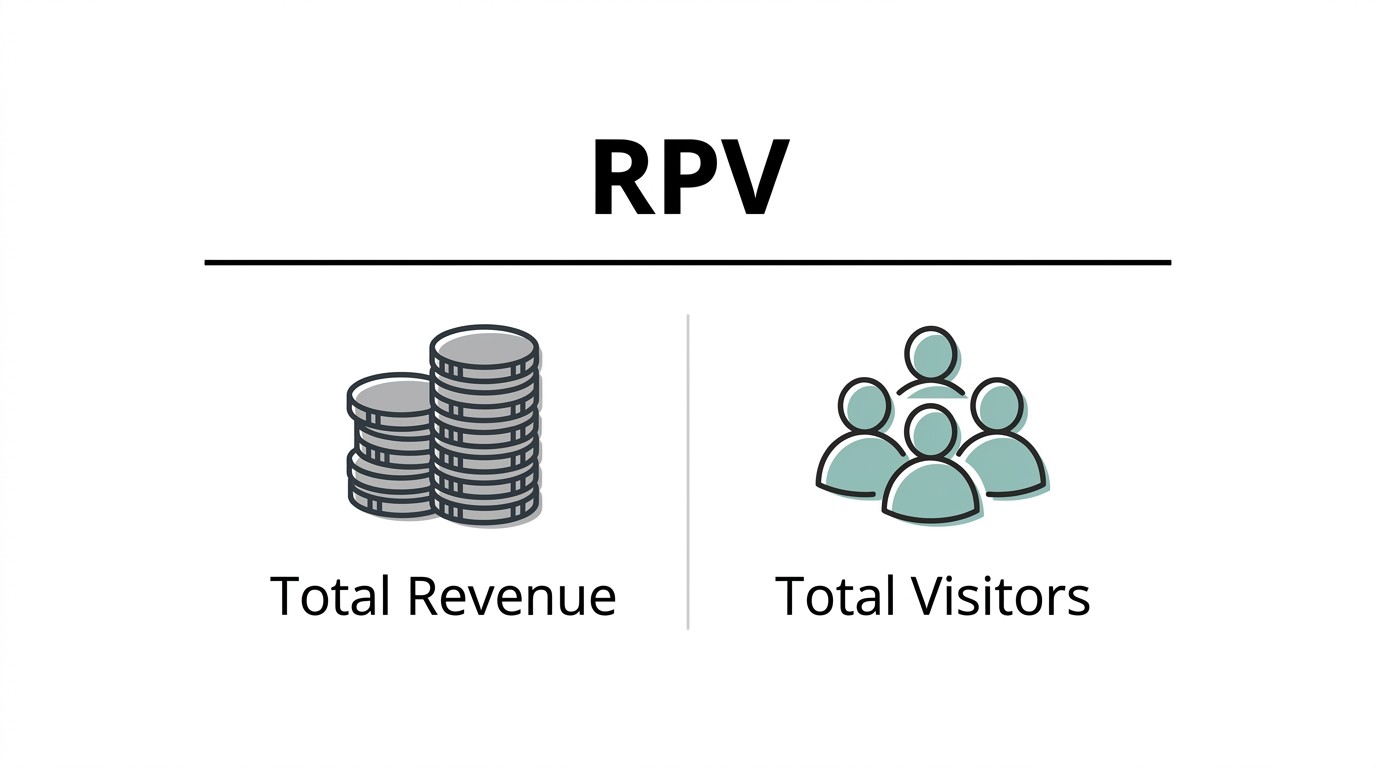
If you’re getting 5,000 visitors/month and booking 3 demos, and 1 closes at $6,000 ARR, your RPV is $1.20.
That number tells you what every visitor is worth right now. And when you run any change, you don’t just watch “conversion rate.” You watch whether RPV went up.
Google Analytics calls it “revenue per session.” Same thing. Track it.
Why does this matter for demo bookings specifically? Because sometimes your demo booking rate goes up but your close rate drops (you’re attracting the wrong visitors). RPV catches that. Conversion rate alone won’t.
The landing page elements that actually move demos
I’ll be direct. Here are the things that consistently move the needle, in rough order of impact.
1. Your headline has to name the buyer’s job, not your product’s capability.
“AI-powered contract analysis” is a feature.
“Find the clause that’s costing you money, before you sign” is a job.
The second one books demos. The first one gets a polite scroll-past.
2. The demo CTA needs to say what happens next.
“Book a demo” is vague. “See how it works with your data (30 min)” is specific.
We’ve seen a 22% lift in demo clicks just from adding “(30 min, no prep needed)” to the CTA on a B2B AI page. Buyers are scared of a sales call. Tell them exactly what they’re walking into.
3. Social proof has to be from someone who looks like your buyer.
“5-star rated” means nothing. “Used by ops teams at 40+ Series B companies” means something.
If you can get a 1-line quote from a VP of Operations at a company your buyer recognizes, that quote is doing more work than your entire feature section.
4. The FAQ section is underrated for demo conversions.
Buyers who are close to booking a demo have objections. Price. Integration. Security. Team adoption. If your FAQ answers those questions directly and honestly (yes, even the uncomfortable ones about pricing), you remove the last friction before the click.
What the landing page checklist actually looks like
This is the version we run for AI SaaS clients. Not a generic template, the things we actually check.
Headline names the buyer outcome, not the AI feature
Sub-headline adds context on who it’s for (“for revenue teams,” “for legal ops,” etc.)
Social proof is role-specific and company-recognizable
CTA tells the buyer what happens after they click (time, format, next step)
FAQ covers: pricing ballpark, integration effort, security basics, onboarding timeline
Mobile: CTA button visible without scrolling on a standard phone screen
Page speed: under 3 seconds on mobile (use PageSpeed Insights, takes 2 minutes)
Form fields: 3 or fewer for the demo request (name, email, company is enough)
Video or interactive demo: if you have one, it goes above the fold, not buried below
One thing we check that most checklists skip: do your CMS and CRM data match? If someone fills a demo form and it doesn’t flow cleanly into your CRM, you’re losing follow-up speed. For AI SaaS teams doing this without engineers, tools like Zapier or Make can sync form submissions to HubSpot or Salesforce in real time without touching code. It’s not glamorous but it’s where demos get dropped.
The full-funnel problem: traffic that was never going to book
A lot of “landing page problems” are actually PPC problems.
If your paid campaigns are sending broad traffic (anyone who searched “AI tool” or “automate workflow”), your landing page can’t save you. You’re paying for visitors who were never demo-ready.
We covered this in detail in our B2B SaaS PPC guide. The short version: your ad targeting and your landing page have to be the same conversation. If the ad promises “see it in action,” the landing page better put the demo front and center, not bury it after 6 sections of product features.
One specific fix that works: create separate landing pages for separate ad groups. A page for “AI legal contract review” traffic should look different from a page for “AI compliance automation” traffic, even if they’re the same product. Message match between ad and page is one of the highest-ROI things you can do, and most teams never do it because it requires building more pages.
Why your “pretty” page still doesn’t convert
There’s a version of this problem that’s purely about trust.
Your AI SaaS might be genuinely good. But if the visitor can’t figure out: who built this, are they real, and have others used it without getting burned, they won’t book.
This is especially true in 2026, when buyers have seen 400 AI tools launch and die. They’re skeptical by default.
Three trust signals that work specifically for AI SaaS pages:
A real face. Founder photo or team section. Not stock photos. You’d be surprised how many pages skip this.
Integration logos. If you connect to Salesforce, HubSpot, Slack, whatever, show the logos. It signals “this is real infrastructure, not a demo.”
A specific customer number. “Trusted by 120+ teams” beats “used by thousands.” Specific is believable. Vague isn’t.
We talk about the web design decisions behind this in more depth in our piece on choosing the right web design partner for B2B. The TL;DR: a design partner who’s never worked on a B2B SaaS conversion page will build you something that looks good in a Figma file and underperforms on the actual page.
The testing part (most teams skip this)
You can’t fix what you don’t measure. But most AI SaaS teams don’t run structured tests on their landing page. They make 3 changes at once and then wonder why nothing moved.
Here’s how to actually test:
Change 1 thing at a time. Headline one week. CTA copy the next.
Run each test for at least 2 weeks, or until you have 100+ demo form visits (whichever is longer).
Track RPV, not just clicks. A 10% click increase that drops close rate is a loss.
Tools: VWO and Google Optimize are standard. If you’re on HubSpot, their A/B testing on landing pages is good enough for most early-stage SaaS teams. VWO also has a HubSpot integration that keeps your data clean across both.
The continuous cycle here is: build, test, cut what’s not working, keep what is. That’s it. There’s no secret. Just fewer bad assumptions over time.
What happens after the demo books
This is where most teams leak revenue.
Someone books a demo. They get a calendar confirmation. Then silence until the meeting.
That gap is a drop-off point. A well-timed email sequence between booking and demo, 1-2 emails, walking the prospect through what to expect, what questions to prepare, maybe a 2-minute product video, moves show-up rates meaningfully.
And post-demo, if they don’t convert immediately, you’re now in retention-before-purchase territory. Which sounds weird, but it’s real. The tactics that keep existing customers engaged (clear value communication, specific next steps, not just “following up”) also work on prospects who are close to signing.
We wrote about the retention side of this in how to retain existing customers. A lot of the same logic applies: people need to feel like the next step is obvious and low-risk.
The question I get asked a lot
“Should I hire someone for this or just do it myself?”
Honest answer: if you have time, a basic checklist pass (headline, CTA copy, social proof, FAQ, page speed) you can do yourself in a week.
If you want structured testing, full-funnel tracking where your CMS and CRM actually talk to each other, and message-match between your paid traffic and your landing pages, that’s where bringing in people who’ve done it before saves you 3-4 months of guessing.
There’s a version of this question we’ll answer properly soon: “Is a CRO agency worth it for a small AI SaaS?” (Short answer: depends on your traffic volume. Below 2,000 visitors/month, fix the basics first.)
Have a specific bottleneck on your landing page? Talk to us.
FAQ
What is a good revenue per visitor for a B2B SaaS landing page?
For AI SaaS in the $500-2,000/month ACV range, RPV between $2 and $8 is a reasonable benchmark. Below $1 usually means either low-quality traffic or a conversion problem on the page.
How do I calculate revenue per visitor?
Total revenue divided by total visitors in the same period. In Google Analytics 4, you can set it up as a custom metric by connecting your payment events to session data.
What’s the most common reason demo bookings are low on an AI SaaS page?
The CTA doesn’t tell the visitor what happens after they click. “Book a demo” with no context creates hesitation. Add time, format, and a “no prep needed” note.
How many form fields should a demo request form have?
3, maximum. Name, work email, company. Every extra field drops submissions. You can collect more in the demo itself.
Does page speed affect demo bookings?
Yes. A page loading in over 3 seconds on mobile loses a measurable chunk of visitors before they read a single word. Run PageSpeed Insights. Fix whatever it flags first.
What should an AI SaaS landing page FAQ cover?
Pricing range, integration effort, data security, onboarding timeline, and what the demo actually looks like. Those are the 5 things holding most buyers back.